

Welcome to Healthy Rewards


The Perks
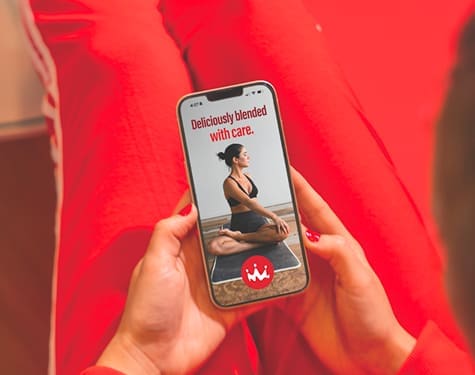
Skip the line
Customize orders
Earn rewards
how it works
Three steps,
zero fuss.
Join for free
Earn on every sip
Reward yourself

Step up to
Champion Status.
-
$2 bonus reward because every champion deserves more
-
25% more points on every dollar spent, all year long
-
Free birthday smoothie deal loaded directly to your account
Your goals, in your pocket.
Order ahead
Skip the line. Tap to pick up.-
Track progress
See points in real time. -
Save favorites
Reorder a smoothie in a tap. -
Earn rewards
Cash in points for discounts.
About Healthy Rewards
How does Healthy Rewards work?
Healthy Rewards are earned Purpose Points converted to currency. Every $1 spent as a Healthy Rewards member earns 100 Purpose Points. For each $1 spent as a Champion member, 125 Purpose Points are earned. Every 2,500 Purpose Points unlocks a $2 Healthy Reward.
Healthy Rewards can be used immediately or accrued in “Banked Rewards”.
What are the Healthy Rewards membership tiers and how do they differ?
There are two tiers of membership to the Healthy Rewards program:
Healthy Rewards Member
- 1 – 34,999 Purpose Points earned annually
- Earn 100 points for every $1 spent
- Get a $2 20 oz Smoothie Birthday Bonus
Champion Member
- 35,000+ Purpose Points earned annually
- Earn 125 points for every $1 spent
- Get a Free 20 oz Smoothie Birthday Bonus
Status is achieved annually. Once you become a Champion Member, you have 365 days to earn for a sequential year.
What type of ordering is available with the mobile app?
The Smoothie King app allows you to order four different ways:
- Order ahead: Place your order from anywhere and have it ready when you arrive at the store.
- Delivery: Stay put and let us bring it to you. Note that delivery range varies by location.
- Scan-To-Pay: Order in store or from the drive-thru line and scan the app to pay, earn points and redeem rewards.
- Scan-To-Earn: Want to earn and redeem points, but pay outside of the app? No problem! This option allows you to handle payment externally from the app but reap the benefits that Healthy Rewards has to offer.
I keep getting an error message when I try to set up a new Healthy Rewards account on the app. Why?
For Gmail: Usernames can’t contain an ampersand (&), equal sign (=), brackets (<,>), plus sign (+), comma (,), or more than one period (.) in a row.
For AOL & Yahoo: You can only use letters, numbers, periods (‘.’), and underscores (‘_’) in your email.
Dollar signs ($) in email addresses are also not permitted.
Account
How do I join Healthy Rewards?
Download the Smoothie King app from the Apple Store or Google Play Store depending on your device. Sign up for Healthy Rewards on the app and start earning points!
Do I need the Smoothie King App to join Healthy Rewards?
Yes, the Smoothie King app is required to create a Healthy Rewards account.
Payment & Points
Do all purchases earn Purpose Points?
All smoothie, bowl and food purchases are eligible to earn Purpose Points. Gift card purchases and catering orders are not eligible.
Do Purpose Points expire?
Purpose Points expire after six months of inactivity. That is, six months have passed since a transaction/purchase has occurred for the member.
Do Banked Rewards expire?
Banked Rewards expire after six months of inactivity. That is, six months have passed since a transaction/purchase has occurred for the member.
What are Blender Bucks?
Tap “Scan to Pay & Earn” on the main app page. If you have a debit or credit card linked to your app, you will have two QR codes available: one for scanning and earning points only, the other for both payment and earning points. Swipe left or right to reveal the other QR code on your app. If you do not have a debit/credit card linked to your app, you will only see the QR code for scanning and earning points only.
How does auto-reload work?
You can enable auto reload of Blender Bucks to ensure that you always have enough bucks in your account to pay for your Smoothie King. If you enable auto reload, we will add $25 to your account any time your Blender Bucks balance falls below $10 using the default card that you have on file.
If I add a gift card to my Healthy Rewards account, can I use it offline too?
No, by adding a Smoothie King gift card to your Healthy Rewards account, your entire balance will transfer from the physical gift card (or e-gift card) to your Healthy Rewards account.
Can I still earn Purpose Points if I don’t have my phone?
Yes! Option 1: At the register, tell the team member you are a Healthy Rewards member. The team member will ask for the email address or phone number tied to your Healthy Rewards account and your available Rewards and deals will automatically populate. (NOTE: This is only available to Healthy Rewards members that have logged into their account on the app at least once.)
Option 2: Ask for your receipt. When you’re reunited with your phone, open the Smoothie King app and tap “Earn Points On A Past Order” from the menu. Simply enter the barcode digits from your receipt and points will be added. You have 48 hours to add receipts.
If you are experiencing repeated difficulty, please contact us Contact Us.
My Healthy Rewards app was used correctly but I don’t see my points. Where are they?
Points can take up to 24 hours to post to your account. If you don’t see them after this time has passed, please contact us Contact Us.
The location I visited didn’t accept my Healthy Rewards app. Can I still get points?
Sometimes stores will be unable to connect to the internet, which inhibits our ability to add points to your account. If this happens during your visit, keep your receipt. Open the Smoothie King app and tap “Earn Points On A Past Order” from the menu. Simply enter the barcode digits from your receipt and points will be added. You have 48 hours to add receipts.
If you are experiencing repeated difficulty, please contact us Contact Us.